Learn to Type Like a Professional
Master touch typing with Typiq — the smart desktop app that adapts to your level and helps you type faster, more accurately, and with confidence.
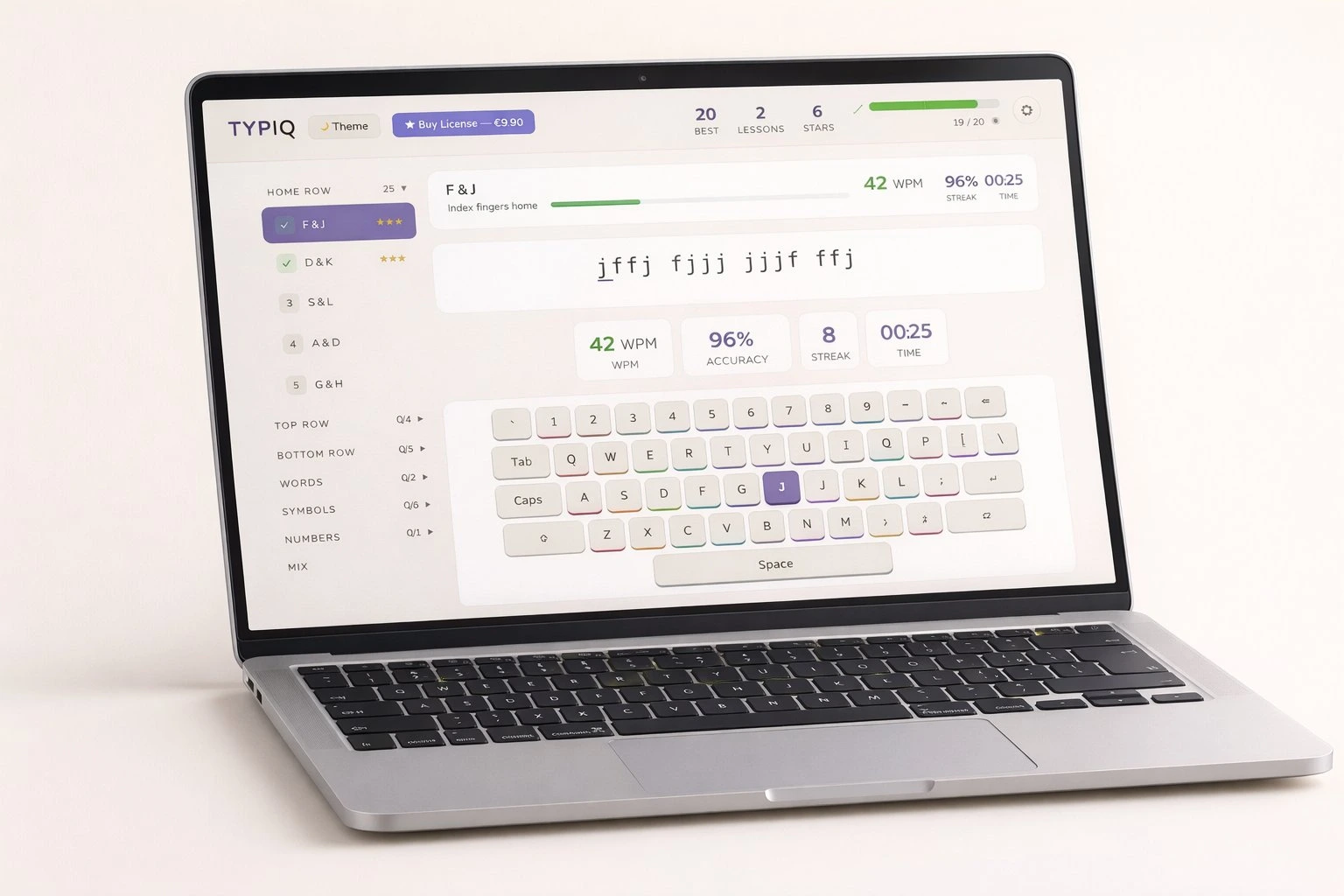
Master touch typing with Typiq — the smart desktop app that adapts to your level and helps you type faster, more accurately, and with confidence.
Typiq combines proven learning methods with modern design to make typing practice enjoyable and effective.
Practice typing in 8 languages with region-specific keyboard layouts — Romanian, English, German, French, Italian, Spanish, Portuguese, and Greek.
Monitor your WPM, accuracy, and improvement over time with detailed statistics and visual charts.
Real-time visual guide shows the correct finger for each key, building proper technique from day one.
Switch between dark and light modes for comfortable practice in any lighting environment.
No internet connection needed after activation. Practice anywhere — at home, school, or on the go.
Pay once, use forever. Free updates included. No subscriptions, no hidden fees.
From download to typing mastery — it only takes a few minutes to begin.
Get Typiq for free on Windows, macOS, or Linux. Installation takes less than a minute.
Follow structured lessons that adapt to your skill level. Start with home row keys and progress naturally.
Track your improvement, earn milestones, and achieve professional typing speed and accuracy.
Choose the plan that fits your needs. All plans include free updates.
Hear from people who improved their typing skills with Typiq.
Typiq helped me go from 25 WPM to 75 WPM in just three months. The finger guide feature was a game-changer for building proper technique.
We use Typiq in our computer lab for grades 3-8. Students love the progress tracking and it's easy for teachers to monitor the whole class.
As a freelance writer, typing speed matters. Typiq's offline mode means I can practice during my commute. Best investment I've made.
Available for all major platforms. Free trial included.