Ce este touch typing?
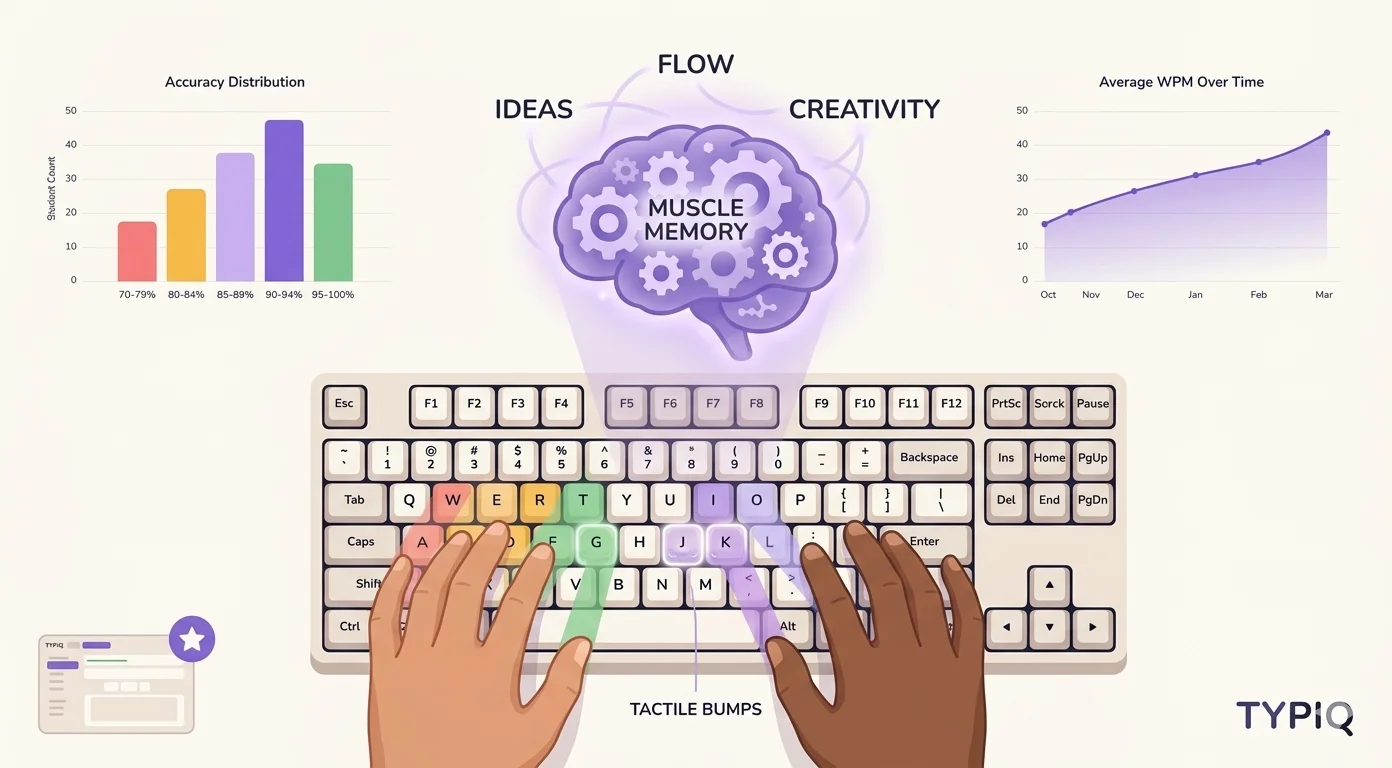
Touch typing este abilitatea de a tasta folosind toate zece degetele fără a te uita la tastatură. În loc să cauți fiecare tastă, degetele tale dezvoltă memorie musculară pentru fiecare poziție de tastă — similar cu un pianist care cântă fără să se uite la mâini.
Dactilograful mediu "hunt and peck" ajunge la aproximativ 25-30 WPM. Un dactilograf format ajunge cu ușurință la 60-80 WPM, unii depășind 100+ WPM. Asta înseamnă o creștere de 3x a productivității pentru orice sarcină ce implică o tastatură, iar efectul cumulat al vitezei de tastare asupra muncii zilnice e mai mare decât se așteaptă majoritatea.
Rândul de bază: de unde totul începe
Orice metodă de touch typing începe cu rândul de bază, cele opt taste-ancoră din mijlocul tastaturii tale. Acolo se odihnesc degetele tale între apăsări:
- Mâna stângă: A, S, D, F (degetul arătător pe F)
- Mâna dreaptă: J, K, L, ; (degetul arătător pe J)
- Degetele mari: se odihnesc pe bara de spațiu
Majoritatea tastaturilor au mici proeminențe pe tastele F și J. Acestea sunt marcaje tactile care te ajută să găsești poziția de bază fără a te uita.
Harta atribuirii degetelor
Fiecare deget este responsabil pentru taste specifice. Iată atribuirea standard:
Degetul mic stâng:  Q, A, Z, 1, Tab, Caps, Shift
Inelarul stâng:     W, S, X, 2
Mijlociul stâng:    E, D, C, 3
Arătătorul stâng:   R, F, V, T, G, B, 4, 5

Arătătorul drept:   Y, H, N, U, J, M, 6, 7
Mijlociul drept:    I, K, virgulă, 8
Inelarul drept:     O, L, punct, 9
Degetul mic drept:  P, punct și virgulă, slash, 0, Enter, Shift
O rutină de practică structurată
Nu încerca să înveți toate tastele dintr-odată. Urmează această progresie:
- Săptămânile 1-2: Doar rândul de bază (A, S, D, F, J, K, L, ;). Concentrează-te pe precizie, nu pe viteză.
- Săptămânile 3-4: Adaugă rândul de sus (Q, W, E, R, T, Y, U, I, O, P). Continuă să vizezi o acuratețe de 95%+.
- Săptămânile 5-6: Adaugă rândul de jos (Z, X, C, V, B, N, M). Acum cunoști toate tastele cu litere.
- Săptămânile 7-8: Cifre și simboluri. Practică combinații frecvente.
"Viteza este un produs secundar al preciziei. Dacă tastezi corect, viteza va urma natural."
Greșeli comune de evitat
1. Privirea la tastatură
Aceasta este cea mai grea obișnuință de rupt. Acoperă tastatura cu o bucată de material dacă este necesar și lucrează cu modalitățile practice de a nu te mai uita în jos. Ochii tăi ar trebui să rămână pe ecran în orice moment.
2. Omiterea resetării pe rândul de bază
După fiecare apăsare de tastă, întoarce degetele la poziția de bază. Asta se simte lent la început, dar construiește memoria musculară care te face rapid mai târziu.
3. Practicarea vitezei înaintea preciziei
Dacă acuratețea ta scade sub 95%, încetinește. Este mai ușor să accelerezi o tastare precisă decât să corectezi obiceiuri neglijente.
Cum te ajută Typiq
Typiq este conceput în jurul acestor principii. Aplicația oferă:
- Ghid vizual pentru degete — arată degetul corect pentru fiecare tastă în timp real
- Lecții structurate — rândul de bază primul, apoi extindere tastă cu tastă
- Abordare orientată spre precizie — lecțiile se adaptează la tiparele tale de erori
- Urmărirea progresului — grafice WPM și acuratețe în timp
- 10 layout-uri de tastatură — practică în limba ta
Typiq rulează pe Mac, Windows și Linux, complet offline și fără cont. Licența Personal costă 22,99 €, plată unică, cu actualizări pe viață, iar înainte să te hotărăști există o probă gratuită.
Cât durează?
Cu 15-20 de minute de practică zilnică:
- 2 săptămâni: Vei fi confortabil pe rândul de bază
- 1 lună: Poți tasta fără să te uiți, lent
- 2-3 luni: Vei egaliza sau depăși viteza ta veche
- 6 luni: 60-80 WPM este realist pentru majoritatea oamenilor
Cheia este consecvența. Sesiunile scurte zilnice bat cele ocazionale lungi, iar calendarul complet al învățării touch typing arată la ce să te aștepți săptămână de săptămână.