Deux outils différents pour des besoins différents
TypingMaster existe depuis 1996. Trois décennies d'utilisateurs, de mises à jour et une réputation établie dans le secteur des logiciels de dactylographie. C'est l'un des tuteurs de frappe les plus téléchargés au monde, et pendant longtemps, c'était l'une des rares options sérieuses sur le marché.
Typiq est plus récent. Il n'a pas le nombre d'installations ni l'histoire. Ce qu'il a, c'est un ensemble différent de priorités : support multiplateforme dès le premier jour, un modèle d'achat unique et un design qui ne donne pas l'impression d'avoir été construit en 2005.
Si cela vous importe dépend entièrement de vos besoins. Cette comparaison couvre les différences pratiques — pas des arguments marketing, mais des décisions réelles de fonctionnalités et de tarifs qui affectent votre utilisation quotidienne de chaque produit.
Compatibilité plateforme : la différence la plus importante
C'est là que la comparaison commence et, pour beaucoup, se termine.
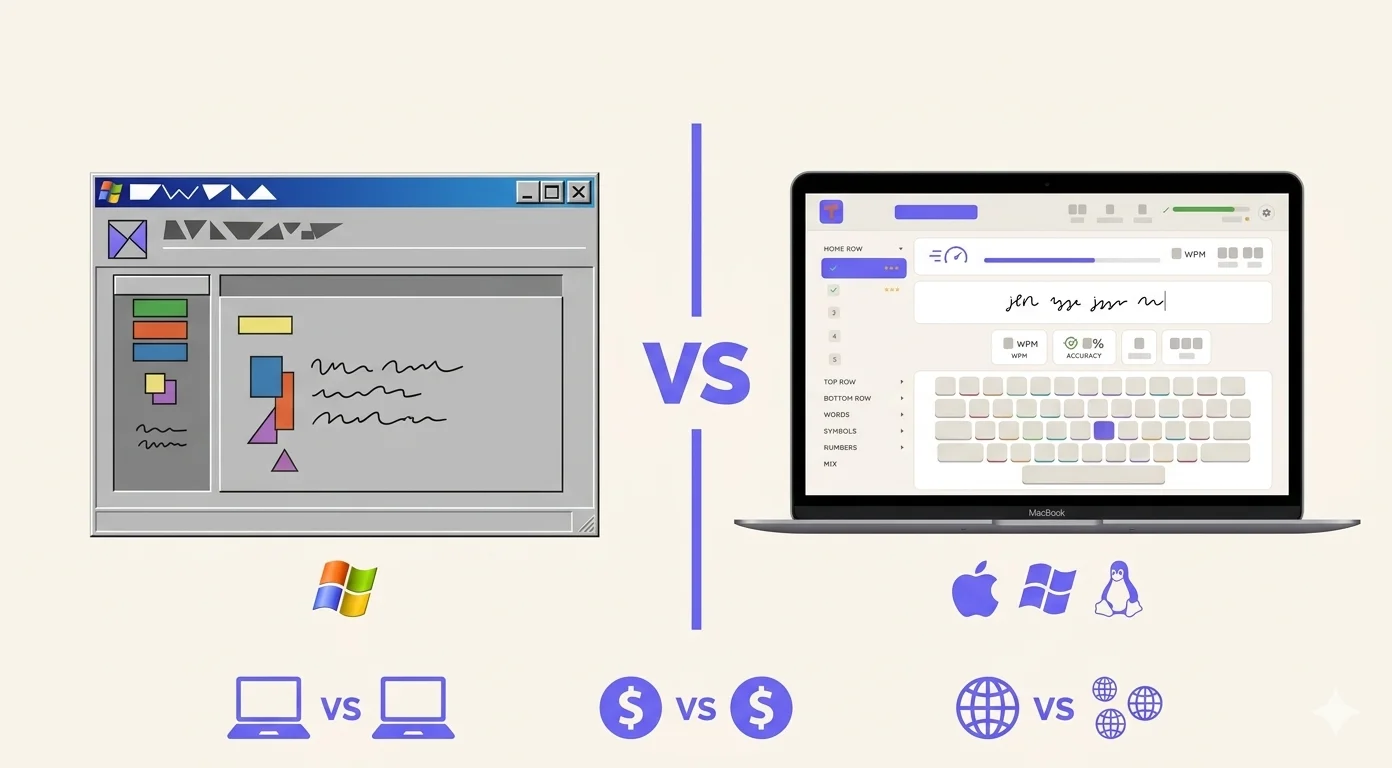
TypingMaster ne fonctionne que sur Windows. La version 12 supporte Windows 7 à Windows 11. Il n'existe pas de version Mac, pas de version Linux, et aucune indication qu'une soit prévue. Si vous utilisez un Mac — qu'il soit Apple Silicon ou Intel — TypingMaster n'est tout simplement pas une option.
Typiq fonctionne sur Mac, Windows et Linux. Les Mac Apple Silicon (M1/M2/M3) et Intel sont pris en charge nativement. Si vous alternez entre systèmes d'exploitation, le logiciel fonctionne sur tous.
Ce n'est pas une note de bas de page mineure. La part de marché Mac parmi les professionnels et dans les écoles — notamment en Europe occidentale et en Amérique du Nord — a considérablement augmenté au cours de la dernière décennie. Un tuteur de frappe qui ne fonctionne que sur Windows ne résout que la moitié du problème.
Si vous êtes sur Windows et comptez y rester, la compatibilité plateforme n'est pas un problème. Si vous êtes sur Mac, ou gérez un environnement à appareils mixtes dans une école ou une entreprise, Typiq est la seule option desktop des deux.
Tarifs : achat unique vs abonnement
TypingMaster propose une version gratuite (essai limité, 7 jours avec toutes les fonctionnalités) et une version Pro payante. Le plan Pro coûte 4,90 $/mois ou 29 $/an pour une licence familiale couvrant jusqu'à 5 appareils. Pour les écoles et entreprises, la licence commence à 373 $/an pour 50 postes.
Typiq repose sur un achat unique pour les particuliers : 22,99 € pour un appareil. Les offres scolaires sont disponibles : Classroom à 99 €/an (1 enseignant, 1 classe, jusqu'à 30 élèves) et School à 399 €/an (enseignants et classes illimités, chaque classe jusqu'à 30 élèves), toutes deux réglées par facture et virement bancaire. Tout enseignant peut lancer un pilote gratuit de 6 semaines en libre-service, en deux minutes environ.
Quelques points se distinguent.
Pour les utilisateurs individuels, l'achat unique de Typiq signifie que vous payez une fois et le logiciel vous appartient. Le modèle annuel de TypingMaster signifie que vous payez indéfiniment tant que vous voulez l'utiliser. Sur trois ans, TypingMaster Pro coûte environ 87 $ — presque cinq fois la licence personnelle de Typiq.
Pour les écoles, les deux produits ont désormais une offre réelle. La licence scolaire de TypingMaster commence à 50 postes (373 $/an), Windows uniquement, avec une gestion des élèves plus mature pour les grands déploiements. Typiq commence à 99 €/an pour une classe, fonctionne sur Mac, Windows et Linux, et inclut le tableau de bord enseignant avec codes classe et progression par élève — avec un pilote gratuit de 6 semaines que vous lancez vous-même, sans liste d'attente.
Support linguistique
Cela compte plus que la plupart des articles de comparaison ne le reconnaissent, surtout si vous avez besoin d'un tuteur de frappe qui couvre plusieurs langues.
TypingMaster supporte des cours de dactylographie en 7 langues : anglais, français, espagnol, allemand, néerlandais, suédois et finnois.
Typiq supporte 11 langues d'interface : anglais, roumain, allemand, néerlandais, suédois, français, italien, espagnol, portugais, polonais et grec. Cela inclut des langues que TypingMaster ne couvre pas — roumain, italien, grec et portugais — tandis que le finnois manque.
Si vous êtes en Finlande, TypingMaster a un avantage évident. Si vous êtes en Roumanie, Italie, Portugal ou Grèce — ou enseignez des élèves de ces horizons linguistiques — Typiq couvre un terrain que TypingMaster ne touche tout simplement pas.
Fonctionnalités : ce que chacun fait bien
Les deux produits sont des tuteurs de frappe desktop construits autour de la même idée centrale : leçons structurées, introduction progressive des touches, méthodologie précision-avant-vitesse.
La fonctionnalité phare de TypingMaster est le widget Typing Meter. Il fonctionne en arrière-plan pendant que vous utilisez d'autres applications Windows et suit votre frappe dans le monde réel. Il identifie les touches que vous ratez régulièrement et génère des exercices ciblés basés sur le comportement réel. C'est un logiciel vraiment ingénieux qu'aucun concurrent n'a répliqué de la même manière.
Le point fort de Typiq est la simplicité et la cohérence multiplateforme. Le parcours d'apprentissage est clair et épuré. Pour les adultes qui apprennent la dactylographie et veulent simplement faire le travail sans widgets de fond ni couches gamifiées, l'approche focalisée fonctionne bien. Le design est moderne, ce qui compte plus qu'il ne devrait, mais influence la volonté quotidienne d'ouvrir l'application. Pour un usage en classe, les critères qui comptent au moment de choisir un logiciel de frappe pour les écoles vont au-delà du contenu des leçons.
L'expérience d'essai
TypingMaster offre un essai gratuit de 7 jours avec accès à toutes les fonctionnalités. Après, vous devez acheter pour continuer. Les offres gratuites varient beaucoup dans cette catégorie, et la comparaison des logiciels de frappe gratuits détaille ce que chacun donne réellement.
Typiq vous offre 30 minutes de pratique en temps réel — pas une démo limitée dans le temps, mais 30 minutes de vraies leçons que vous pouvez utiliser n'importe quand. C'est une fenêtre plus petite que 7 jours, mais focalisée : vous en avez assez pour évaluer si la structure vous convient.
Qui devrait utiliser lequel
Choisissez TypingMaster si :
- Vous utilisez Windows et comptez y rester
- Vous voulez le widget Typing Meter qui surveille vos habitudes de frappe réelles
- Vous parlez finnois
- Vous préférez un produit éprouvé avec 30 ans de track record
- Vous gérez un déploiement scolaire à grande échelle (50+ postes)
Choisissez Typiq si :
- Vous utilisez un Mac, ou alternez entre Mac et Windows
- Vous préférez un achat unique à un abonnement annuel
- Vous avez besoin du soutien du roumain, de l'italien, du portugais ou du grec
- Vous êtes un enseignant avec une classe plutôt qu'une école entière
- Vous voulez une interface moderne sans surveillance en arrière-plan
Le résumé honnête
TypingMaster est le produit le plus riche en fonctionnalités avec une plus longue histoire. Le widget Typing Meter est vraiment unique et utile pour les apprenants motivés. Sur Windows, il reste l'une des meilleures options disponibles.
Sa limite dure est la plateforme : si vous n'êtes pas sur Windows, il n'existe pas pour vous. Et le tarif annuel, bien que pas cher, s'accumule dans le temps pour les utilisateurs individuels.
Typiq est plus récent et a moins d'histoire accumulée. Ce qu'il offre, c'est un support multiplateforme que TypingMaster n'a pas fourni en 30 ans, un modèle de tarification à achat unique et une expérience plus épurée pour les utilisateurs qui n'ont pas besoin ou ne veulent pas l'ensemble complet des fonctionnalités.
Le bon choix ne tient pas à quel produit est objectivement meilleur. Il tient à lequel fonctionne sur votre machine et correspond à la façon dont vous travaillez réellement.
Si c'est le support multiplateforme et le prix unique qui vous orientent vers Typiq, la licence Personnelle coûte 22,99 € pour un appareil avec mises à jour à vie, et l'essai de 30 minutes ne coûte rien et ne demande pas de carte. Si ce dont vous avez réellement besoin, c'est le widget Typing Meter ou les cours en finnois, TypingMaster reste le meilleur choix.
Questions fréquemment posées
TypingMaster fonctionne-t-il sur Mac ? Non. TypingMaster est uniquement pour Windows (Windows 7 à 11). Il n'existe pas de version Mac ou Linux.
Typiq est-il gratuit ? Typiq inclut un essai de 30 minutes sans frais. La licence personnelle complète est un achat unique de €22,99 pour un seul appareil. Il n'y a pas d'abonnement continu pour les utilisateurs individuels.
Lequel est meilleur pour les écoles ? TypingMaster a l'offre la plus mature pour les grands déploiements (minimum 50 postes, 373 $/an, Windows uniquement). Les offres scolaires de Typiq sont disponibles et multiplateformes : Classroom à 99 €/an (1 enseignant, 1 classe, jusqu'à 30 élèves) et School à 399 €/an (enseignants et classes illimités, chaque classe jusqu'à 30 élèves), réglées par facture et virement bancaire. Les élèves rejoignent la classe avec un code et leur prénom — sans e-mail ni mot de passe — et tout enseignant peut lancer un pilote gratuit de 6 semaines en deux minutes environ. Une démo publique du tableau de bord est disponible.
TypingMaster prend-il en charge le roumain ou le grec ? Non. TypingMaster supporte anglais, français, espagnol, allemand, néerlandais, suédois et finnois. Le roumain, le grec, l'italien et le portugais ne sont pas dans son catalogue de cours. Typiq supporte les quatre.
Lequel est meilleur pour les adultes apprenant à taper de zéro ? Les deux fonctionnent pour les apprenants adultes. La difficulté adaptative et le widget de fond de TypingMaster le rendent particulièrement fort pour les adultes auto-motivés sur Windows qui veulent continuer à progresser dans le travail quotidien. L'approche focalisée et sans distraction de Typiq convient aux adultes qui veulent un curriculum clair sans gamification ni surveillance.