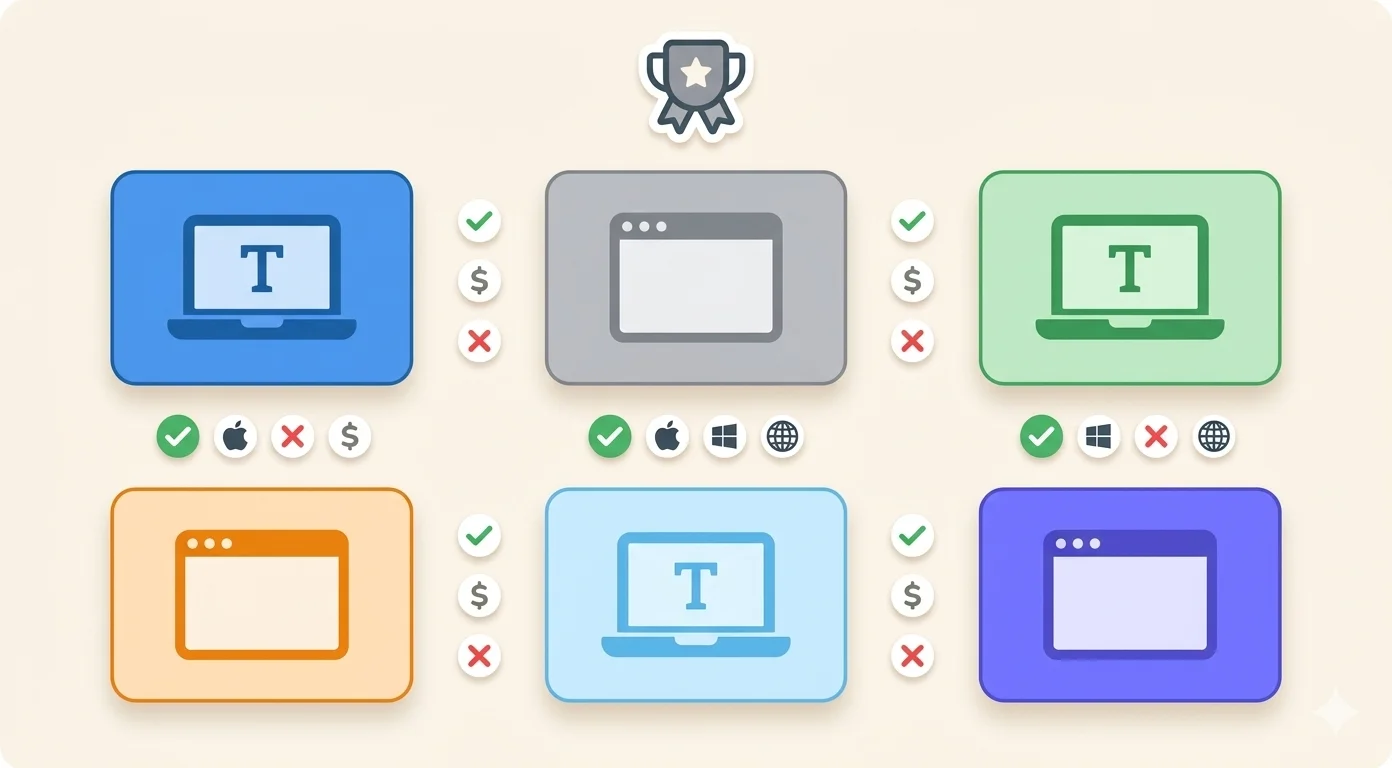
Resposta curta: para a maioria dos adultos em 2026, a escolha depende de como você quer pagar e onde digita. TypingClub e Typing.com são gratuitos no navegador, com anúncios; Typesy é uma assinatura de US$ 9/mês; TypingMaster só roda no Windows; KAZ e Typiq são compras únicas, e o Typiq é o único dos seis que funciona offline no Mac, Windows e Linux sem conta. A comparação completa, e para quem cada um serve de verdade, está abaixo.
Como ler esta comparação
A maioria das listas de "melhor software de digitação" online é movida por comissões de afiliados. O produto que paga a comissão mais alta acaba em primeiro lugar, independentemente da qualidade. Vale saber disso antes de confiar em uma recomendação.
Esta comparação abrange seis dos tutores de digitação mais usados em 2026. Cada um é avaliado segundo os mesmos critérios: suporte de plataforma, modelo de preços, abordagem de ensino e para quem realmente faz sentido. Onde o Typiq se encaixa, é mencionado honestamente — incluindo onde não ganha.
O objetivo é ajudar você a escolher a ferramenta certa para a sua situação, não vender nenhuma em particular.
O mercado em um relance
| Software | Plataforma | Preço | Teste | Ideal para |
|---|---|---|---|---|
| Typesy | Mac, Windows, Linux, Chrome | 9 $/mês | 7 dias | Adultos que querem muitos recursos |
| TypingMaster | Apenas Windows | 29 $/ano | 7 dias | Usuários Windows com orçamento limitado |
| Typing.com | Navegador (qualquer dispositivo) | Grátis + pago | Grátis para sempre | Escolas, iniciantes |
| KAZ | Mac, Windows | 24,99–39,99 $ único | 14 dias reembolso | Aprendizes rápidos, empresas |
| TypingClub | Navegador (qualquer dispositivo) | Grátis + 99,75 $/ano escola | Grátis para sempre | Escolas de ensino fundamental |
| Typiq | Mac, Windows, Linux | 22,99 € único | 30 minutos | Adultos, usuários multilíngues |
Typesy
Plataforma: Mac, Windows, Linux, Chrome Preço: 9 $/mês (teste de 7 dias). Planos família/homeschool a partir de 67 $. Ideal para: Adultos e estudantes que querem uma experiência completa.
O Typesy é consistentemente classificado como o tutor de digitação desktop mais rico em recursos do mercado. Oferece mais de 5.000 lições, tutoriais em vídeo especializados que demonstram o posicionamento correto das mãos, dificuldade adaptativa, sincronização na nuvem entre dispositivos e uma interface bem desenhada que não parece ter sido feita em 2001.
A instrução em vídeo é genuinamente útil — a maioria dos softwares de digitação diz a você onde colocar os dedos; o Typesy mostra. Para quem aprende de forma visual, essa é uma diferença real.
O modelo de assinatura é o principal ponto de atrito. A 9 $/mês, um ano de Typesy custa mais do que a maioria das alternativas desktop com compra única. Não há como comprá-lo de uma vez para uso individual: você se compromete com uma cobrança recorrente, o que para uns tanto faz e para outros incomoda.
Para famílias que educam em casa, a licença familiar (67-97 $) é competitiva quando você leva em conta que cobre vários alunos por vários anos.
Veredicto: O tutor de digitação individual mais capaz disponível. Vale a assinatura se você usar de forma consistente. Não vale se você usar dois meses e depois esquecer. Um olhar mais de perto sobre os dois produtos está na comparação entre Typiq e Typesy.
TypingMaster (TypingMagic)
Plataforma: Apenas Windows Preço: 4,90 $/mês ou 29 $/ano. Licenciamento escolar a partir de 373 $/ano (50 vagas). Ideal para: Usuários Windows que querem um programa estruturado e comprovado a baixo custo anual.
O TypingMaster existe desde 1996 e tem o histórico para provar. A abordagem de ensino é sólida: progressão estruturada, dificuldade adaptativa, acompanhamento de precisão por tecla. O recurso de destaque é o widget TypingMeter — uma ferramenta em segundo plano que monitora sua digitação em todos os aplicativos Windows e gera exercícios direcionados com base nos seus padrões reais de erros. Nada mais nesta lista faz isso.
A 29 $ por ano, é a opção paga mais acessível para pessoas físicas. O modelo anual cria pouco atrito para a maioria dos usuários.
A restrição rígida é a plataforma. O TypingMaster é apenas para Windows. Não existe versão Mac, não existe versão Linux. Se você usa um Mac ou compartilha o computador entre sistemas operacionais, essa ferramenta não existe para você.
A interface também mostra a idade. Funciona, mas não é um produto que tenha sido redesenhado de forma significativa nos últimos anos. O confronto direto com o TypingMaster percorre em detalhe as diferenças de plataforma e de preço.
Veredicto: A opção de melhor custo-benefício para usuários Windows. No Mac, avance para a seção seguinte.
Typing.com
Plataforma: Navegador (qualquer dispositivo, qualquer OS) Preço: Plano gratuito (com anúncios) + nível Plus pago. Preços enterprise para escolas. Ideal para: Escolas com orçamentos apertados, iniciantes que querem zero compromisso.
O Typing.com é a plataforma de digitação gratuita mais usada no mundo. Funciona no navegador, não requer instalação e funciona em qualquer dispositivo. A versão gratuita cobre cursos estruturados de nível iniciante, intermediário e avançado, o suficiente para levar alguém do hunt-and-peck a uma digitação às cegas funcional.
Para escolas, o Typing.com se integra com o Google Classroom, ClassLink e Clever, o que o torna bem mais fácil de implantar do que um software de desktop. Os professores conseguem acompanhar o progresso dos alunos, atribuir lições específicas e aplicar testes de digitação sem gerenciar instalações.
A versão gratuita tem anúncios, o que é um problema real em um ambiente de aprendizagem. O nível pago remove os anúncios e libera recursos adicionais de relatório, com preços no nível de escola ou empresa.
A limitação é a profundidade, que a comparação entre Typiq e Typing.com cobre por completo. O Typing.com é excelente para construir habilidades básicas de digitação. Para digitadores intermediários a avançados que querem retorno mais fino, análise por tecla ou desenvolvimento estruturado de velocidade além do básico, o currículo acaba.
Veredicto: O melhor ponto de partida gratuito, particularmente para escolas. Se ficar pequeno em dois meses, tudo bem: era grátis.
KAZ Typing Tutor
Plataforma: Mac, Windows (download ou online) Preço: 24,99 $ (online) ou 39,99 $ (download). Versão família 74,99 $. Compra única. Ideal para: Empresas, adultos que querem um método rápido e sem enfeites.
O KAZ adota uma abordagem fundamentalmente diferente. A maioria dos tutores ensina o teclado tecla por tecla ao longo de semanas. O KAZ afirma ensinar o teclado completo de A a Z em 90 minutos usando um "método de aprendizagem acelerado" — uma abordagem multissensorial desenvolvida com pesquisadores em dislexia e aprendizagem cognitiva.
O método usa 11 palavras e 5 frases, repetidas ao mesmo tempo pela visão, pela audição e pelo tato, para construir memória muscular mais rápido do que a instrução sequencial tradicional. Avaliações independentes sugerem que funciona mesmo para muitos aprendizes, sobretudo adultos com estilos de aprendizagem estruturados.
Sem jogos. Sem gamificação. Sem placares. KAZ é técnica pura, rápido. Se jogos motivam você, não é o caso. Se eles distraem e você só quer resolver, o KAZ é excepcionalmente eficiente.
O modelo de compra única significa que não há mensalidades. A garantia de reembolso de 14 dias faz as vezes de teste.
Veredicto: Subestimado e vale a pena considerar para uso profissional ou empresarial. Não é para aprendizes mais novos nem para quem precisa de mecânicas de engajamento para se manter motivado.
TypingClub
Plataforma: Navegador (qualquer dispositivo) Preço: Grátis para indivíduos. 99,75 $/ano por licença escolar. Ideal para: Turmas de ensino fundamental.
O TypingClub é a escolha padrão para escolas que precisam de uma opção gratuita, baseada em navegador, com uma camada adequada de gerenciamento de turma. A versão individual gratuita tem centenas de lições, acompanhamento de progresso, estrelas e medalhas para motivar e um currículo estruturado que vai do posicionamento dos dedos até a prática em velocidade plena.
A edição escolar acrescenta painéis do professor, gerenciamento de turmas, atribuição de lições personalizadas e relatórios mais detalhados. A 99,75 $ por ano por escola, é acessível para a maioria das instituições.
O público-alvo são claramente crianças e alunos nos primeiros anos, como expõe a comparação entre Typiq e TypingClub. Os adultos que usam o TypingClub podem achá-lo funcional mas não particularmente motivador. A profundidade do retorno e do acompanhamento de precisão por tecla é menos sofisticada do que em alternativas de desktop como Typesy ou KAZ.
Veredicto: A melhor opção para turmas de ensino fundamental, com qualquer orçamento. Não é adequado para adultos em contexto profissional.
Typiq
Plataforma: Mac, Windows, Linux (mais uma versão de navegador para Chromebook) Preço: 22,99 € em pagamento único (pessoal, 1 dispositivo). Para escolas: Classroom 99 €/ano e School 399 €/ano. Ideal para: Usuários de Mac, adultos que querem uma compra única, aprendizes multilíngues.
Os recursos de turma do Typiq já estão no ar: um dashboard do professor com velocidade (PPM), precisão e progresso semanal por aluno, e turmas em que os alunos entram com um código de turma e o primeiro nome — sem email, sem senha, sem conta (demo pública em /dashboard/?demo=1). Para escolas há dois planos: Classroom a 99 €/ano (1 professor, 1 turma, até 30 alunos) e School a 399 €/ano (professores e turmas ilimitados, cada turma com até 30 alunos), com pagamento por fatura e transferência bancária para escolas de toda a Europa. Existe um piloto gratuito de 6 semanas com cadastro imediato em 2 minutos, sem lista de espera. Para uso individual, a licença pessoal vitalícia continua a €22.99.
O Typiq é mais recente do que tudo o resto nesta lista. Não tem a contagem de instalações, as avaliações de usuários ou o reconhecimento de marca do Typesy ou TypingMaster. O que ele tem é um conjunto específico de decisões que importam para um grupo específico de usuários.
Suporte desktop multiplataforma. Mac (Apple Silicon e Intel), Windows e Linux. Isso importa porque o TypingMaster — a opção desktop paga mais acessível — simplesmente não funciona no Mac. O Typesy funciona, mas por assinatura mensal. O Typiq dá aos usuários de Mac um tutor de digitação desktop estruturado a um preço de pagamento único.
Compra única para indivíduos. 22,99 €, é seu. Sem taxa mensal. Sem renovação anual. Para quem não quer uma assinatura para cada ferramenta do fluxo de trabalho, esse é um diferencial real.
11 línguas suportadas. Inglês, romeno, alemão, francês, italiano, espanhol, português, holandês, sueco, polonês e grego. Isso cobre línguas que nenhum outro produto nesta lista aborda, o romeno e o grego em particular. Para lares multilíngues ou escolas com alunos de contextos linguísticos diversos, isso importa.
Sem anúncios. Nem no período de teste, nem em lugar nenhum. O teste de 30 minutos é limitado por uso, não por uma experiência interrompida por anúncios.
As contrapartidas são reais. O teste de 30 minutos é mais curto do que os testes de 7 dias oferecidos pelo Typesy e pelo TypingMaster. O Typiq não tem tutoriais em vídeo nem um widget de monitoramento em segundo plano como o TypingMeter. A base de usuários é menor, o que significa menos conhecimento de comunidade e menos avaliações de terceiros.
Veredicto: A escolha certa para usuários de Mac que querem um tutor de digitação desktop sem assinatura. Também a opção mais forte para usuários que precisam de suporte em romeno, grego, italiano ou português.
Um esclarecimento antes das recomendações, porque as opções gratuitas acima são genuinamente boas: o Typing.com e o TypingClub são gratuitos porque vivem em uma aba do navegador, o que exige conexão e, para salvar o progresso, uma conta. O Typiq faz a troca inversa: 22,99 € uma única vez dão a você um aplicativo desktop nativo que funciona totalmente offline, não pede conta, não mostra anúncios e não envia telemetria, com modo para crianças incluído. Nenhuma das trocas está errada; depende de com qual você prefere viver.
Como escolher
É iniciante sem orçamento: Comece com o Typing.com (gratuito, baseado em navegador, sem compromisso).
É usuário Windows em busca do melhor custo-benefício: TypingMaster a 29 $/ano é difícil de bater, sobretudo pelo widget TypingMeter.
Quer mais recursos sem se incomodar com assinatura: Typesy é o produto mais completo do mercado.
Precisa aprender rapidamente e não gosta de jogos: KAZ. 90 minutos até a fluência no teclado, compra única.
É professor com uma turma de ensino fundamental: TypingClub, gratuito, funciona em qualquer navegador.
Está no Mac ou precisa de compra única: Typiq. O único tutor de digitação desktop estruturado desta lista que roda nativamente no Mac sem mensalidade.
Ensina em romeno, grego, italiano ou português: Typiq é a única opção aqui que cobre essas línguas em um tutor de desktop.
O que nenhum deles pode substituir
O software certo importa menos do que as pessoas pensam. Cada produto nesta lista é capaz de levar alguém do hunt-and-peck para 60+ PPM. As diferenças estão na profundidade dos recursos, na compatibilidade de plataforma, no modelo de preços e no estilo de ensino.
A variável real é a consistência. Quinze minutos por dia, todos os dias, durante oito semanas. É isso que produz resultados, em qualquer uma destas plataformas. Escolha a que combina com o seu dispositivo, o seu orçamento e a sua forma de aprender. E depois use de verdade.
Perguntas frequentes
Existe um tutor de digitação gratuito que seja realmente bom? Sim. O Typing.com é genuinamente bom para iniciantes e gratuito sem limite de tempo. O TypingClub é igualmente sólido para alunos em idade escolar. Os dois rodam no navegador, não exigem instalação e incluem conteúdo estruturado suficiente para construir uma digitação às cegas funcional.
Que software de digitação funciona no Mac? Typesy, KAZ e Typiq funcionam no Mac. O TypingMaster não. Typing.com e TypingClub rodam em qualquer navegador, incluindo o Safari no Mac.
Uma compra única é melhor do que uma assinatura? Depende de quanto tempo você planeja usar. Se for praticar a sério por 2-3 meses e depois digitar naturalmente sem software, a compra única compensa mais. Se quiser acesso contínuo por anos ou para uma família inteira, uma assinatura ou licença familiar pode sair mais barata por usuário ao longo do tempo.
Qual tutor de digitação é melhor para adultos profissionais? KAZ pela velocidade de aprendizagem (método de 90 minutos, sem jogos, compra única). Typesy pelos recursos completos e pela instrução em vídeo. Typiq se você está no Mac e quer uma compra única. TypingMaster se você está no Windows e quer o melhor custo-benefício.
Quanto tempo demora para aprender digitação com software? A maioria dos adultos atinge 40-50 PPM com a técnica correta em 6-8 semanas de prática diária de 15-20 minutos. Chegar a 70+ PPM costuma levar de 3 a 4 meses de trabalho constante. O software acelera a aprendizagem, não substitui as horas de prática.