Die Fähigkeit, die Schulen ignorieren
Schüler verbringen jede Woche Stunden damit zu tippen. Aufsätze, Hausaufgaben, Recherchenotizen, Prüfungen. Und die meisten tun es mit zwei Fingern, schauen auf die Tastatur und suchen jeden Buchstaben einzeln.
Das ist keine kleine Ineffizienz. Es ist ein strukturelles Problem, das beeinflusst, wie schnell Schüler schriftliche Arbeit produzieren können, wie viel kognitive Energie sie für den physischen Akt des Tippens verschwenden und wie vorbereitet sie auf einen Arbeitsplatz sind, wo Tastaturgewandtheit vorausgesetzt wird.
Die gute Nachricht: Touch-Typing ist eine lehrbare Fähigkeit. Es folgt einer klaren Progression. Schüler, die es richtig lernen, können in 6 bis 8 Wochen konsistenter Übung eine funktionale Geschwindigkeit erreichen. Das Problem ist, dass die meisten Schulen es entweder gar nicht lehren oder es als eine Einwocheneinheit behandeln und weitermachen, bevor etwas hängen bleibt.
Dieser Leitfaden ist für Lehrkräfte, die es richtig machen wollen.
In welchem Alter sollten Schüler anfangen zu tippen?
Forschung und praktische Erfahrung zeigen dasselbe Fenster: Alter 7 bis 10.
In diesem Alter haben Kinder genug Feinmotorik, um ihre Finger korrekt auf der Tastatur zu platzieren, und die Tippgeschwindigkeiten, die in jedem Alter realistisch sind, geben dir sinnvolle Ziele vor. Sie haben noch keine starken Hunt-and-Peck-Gewohnheiten entwickelt. Und sie befinden sich in einer Phase, in der sich Muskelgedächtnis schnell bildet.
Früher als 7 zu beginnen ist möglich, aber oft kontraproduktiv — kleine Hände kämpfen mit dem Standard-Tastaturabstand, was zu Frustration und schlechten Haltungsgewohnheiten führt.
Später zu beginnen ist keine Katastrophe, wird aber schwieriger. Ein 14-Jähriger, der seit sechs Jahren hunt-and-peckt, hat jahrelange Muskelgedächtnis zu verlernen, bevor er neue Gewohnheiten aufbauen kann. Es ist machbar, dauert aber länger und erfordert mehr Motivation.
Wenn du Tippunterricht nur auf einer Klassenstufe einführen kannst, ist 3. Klasse (Alter 8-9) der Sweet Spot.
Touch-Typing vs. Hunt-and-Peck: Warum der Unterschied zählt
Die meisten Schüler, die "tippen können", sind eigentlich Hunt-and-Pecker. Sie haben sich mit 3 oder 4 Fingern und gelegentlichem Blicken auf die Tastatur eine gewisse Geschwindigkeit erarbeitet. Einige schaffen 45-50 WPM damit.
Aber Hunt-and-Peck hat eine harte Obergrenze. Etwa 50 WPM ist das praktische Maximum, und die meisten Menschen plateauieren weit darunter. Wichtiger ist, dass es die Aufmerksamkeit teilt — die Augen des Schülers bewegen sich ständig zwischen Bildschirm und Tastatur, was den Fokus bei Schreibaufgaben zerreißt.
Touch-Typing — alle zehn Finger, zugewiesene Tasten, Augen auf dem Bildschirm — beseitigt diese Obergrenze. Es befreit auch kognitive Kapazität. Wenn Tippen automatisch wird, denken Schüler darüber nach, was sie schreiben, anstatt wie sie es tippen.
Die Transition ist unbequem. In den ersten 1-2 Wochen des richtigen Touch-Typing-Unterrichts sinkt die Geschwindigkeit, bevor sie steigt. Schüler, die hunt-and-pecken bei 40 WPM konnten, werden vorübergehend bei 15-20 WPM tippen. Du musst sie — und ihre Eltern — warnen, dass diese Regression Teil des Prozesses ist.
Wenn Schüler in dieser Phase aufgeben, fallen sie in ihre alten Gewohnheiten zurück und der Unterricht erreicht nichts.
Wie man einen Tipp-Lehrplan strukturiert
Ein Lehrplan, der wirklich Ergebnisse liefert, folgt einer bestimmten Logik: zuerst die Grundreihe, dann nach außen erweitern, Genauigkeit vor Geschwindigkeit.
Wochen 1-2: Nur Grundreihe
- F, D, S, A (linke Hand) und J, K, L, ; (rechte Hand)
- Korrekte Haltung einführen: Füße flach, Rücken gerade, Handgelenke neutral
- Keine Geschwindigkeitsziele. Das einzige Ziel ist Finger platzieren ohne Hinschauen.
Wochen 3-4: Obere und untere Reihe
- T, R, E, W, Q (links) und Y, U, I, O, P (rechts) in Woche 3 hinzufügen
- G, H in Woche 3 hinzufügen (die häufigsten ausgelassenen Tasten)
- Untere Reihe in Woche 4 hinzufügen: Z, X, C, V, B / N, M, ,, ., /
- Noch keine Geschwindigkeitsziele. Genauigkeit über 90% bevor weitergemacht wird.
Wochen 5-6: Zahlen und Symbole
- Zahlenreihe, häufige Zeichensetzung
- Großschreibung mit der gegenüberliegenden Shift-Taste (häufiger Fehler: Schüler nehmen die falsche Hand)
Wochen 7-8: Geschwindigkeitsentwicklung
- Jetzt zählt Geschwindigkeit. Zeitübungen einführen.
- Ziel: 25-30 WPM mit 95%+ Genauigkeit für jüngere Schüler (Klassen 3-4), 35-40 WPM für ältere Schüler (Klassen 5-6)
- Echte Wortübung verwenden, nicht nur Buchstabendrills
Laufend: Integration in den Alltag
- Schüler dazu verpflichten, Hausaufgaben mit korrekter Technik zu tippen
- Stichproben während der regulären Unterrichtsarbeit machen, nicht nur in den dedizierten Tippstunden
Der häufigste Fehler ist, die erste Phase zu überspringen. Schulen, die direkt zu Geschwindigkeitsdrills springen, produzieren Schüler, die schnell tippen und dabei furchtbar aussehen.
Häufige Fehler, die Lehrkräfte machen
1. Tippen als einmaliges Projekt behandeln Ein zweiwöchiges Intensivtraining liefert keine dauerhaften Ergebnisse. Tippen braucht verteilte Wiederholung. 15-20 Minuten täglich, konsequent, über 6-8 Wochen sind effektiver als jeder Intensivansatz.
2. Korrekte Technik während des regulären Unterrichts nicht durchsetzen Wenn Schüler korrekte Technik nur in dedizierten Tippstunden verwenden und bei Hausaufgaben auf Hunt-and-Peck zurückfallen, übertragen sich die Lektionen nicht. Auch Lehrkräfte außerhalb des Computerraums müssen die Grundregeln für Haltung und Handposition durchsetzen.
3. Schnelle Hunt-and-Pecker opting out lassen "Ich tippe bereits schnell" ist die häufigste Ausrede. Der Schüler, der mit vier Fingern 45 WPM tippt, wird frustriert sein, wenn er auf 20 WPM fällt. Aber er wird sein ganzes Leben bei 50 WPM plateauieren, wenn er jetzt nicht wechselt. Das solltest du Schülern und Eltern von Anfang an klar erklären.
4. Haltung ignorieren Schlechte Sitzhaltung, gebogene Handgelenke, Tastaturen in falscher Höhe — das verursacht Ermüdung und im Laufe der Jahre Verletzungen. Ergonomie beim Tippen gehört zum Tippunterricht dazu, sie ist kein optionaler Zusatz. Nimm dir am Anfang 15 Minuten Zeit, um jeden Schüler korrekt einzurichten.
5. Software verwenden, die nicht für Klassenraumgebrauch entwickelt ist Consumer-Tipp-Tools sind für individuelle Übung entwickelt. Sie haben oft keine Lehrer-Dashboards, können nicht mehrere Schüler verfolgen und setzen Gamification über strukturierte Progression. Was für einen motivierten Erwachsenen zu Hause funktioniert, funktioniert nicht unbedingt im Klassenraum.
Schülerfortschritt messen
Drei Kennzahlen zählen:
WPM (Wörter pro Minute): Das Standardmaß für Geschwindigkeit. Netto-WPM verwenden (Rohgeschwindigkeit minus Fehlerabzug), nicht Brutto-WPM. Ein Schüler, der 60 WPM mit 15 Fehlern tippt, ist nicht wirklich schnell.
Genauigkeitsrate: 95%+ anstreben, bevor Geschwindigkeit erhöht wird. Verfolge sie getrennt von den WPM, damit Schüler verstehen, dass Genauigkeit die Grundlage ist.
Technikeinhaltung: Die ist schwerer zu quantifizieren, aber entscheidend. Verwenden Schüler alle zehn Finger? Schauen sie auf den Bildschirm? Nehmen sie die richtige Shift-Taste? Ein Schüler, der dein WPM-Ziel mit vier Fingern erreicht, hat Touch-Typing nicht wirklich gelernt.
Beurteile die Technik durch Beobachtung, nicht durch Software. Geh während der Übungsphasen durch den Raum und schau auf die Hände.
Ein vernünftiger Benchmark für Grundschüler (Klassen 4-5) nach 8 Wochen Unterricht: 30 WPM bei 95% Genauigkeit mit korrekter Zehnfinger-Technik.
Für Schüler weiterführender Schulen, die bei null anfangen: 40 WPM bei 95% Genauigkeit innerhalb eines Semesters sind erreichbar.
Die richtige Tipp-Software für deine Schule wählen
Nicht jede Tipp-Software ist für Lehrkräfte gebaut, und die Merkmale, die Klassenraum-Werkzeuge von Consumer-Apps unterscheiden, sind auf einer Produktseite leicht zu übersehen. Darauf solltest du achten:
- Strukturierte Lektionsprogression — Lektionen müssen aufeinander aufbauen und dürfen Schüler nicht zu beliebigen Übungen springen lassen
- Lehrer-Dashboard — du musst WPM, Genauigkeit und Zeitaufwand jedes Schülers sehen, ohne jedem einzeln hinterherzulaufen
- Mehrfacher Schüler-Support — Software, die nur für einen Nutzer gleichzeitig funktioniert, ist im Klassenmaßstab nicht praktisch
- Kein verpflichtendes Abonnement pro Schüler — SaaS-Preise pro Platz werden in Schulen schnell teuer; achte auf Lizenzen für die Klasse oder die ganze Schule
- Plattformübergreifend — Schüler sollten auf Windows, Mac oder was auch immer dein Labor nutzt, üben können
- Keine Werbung — Tippstunde ist kein Platz für Werbung
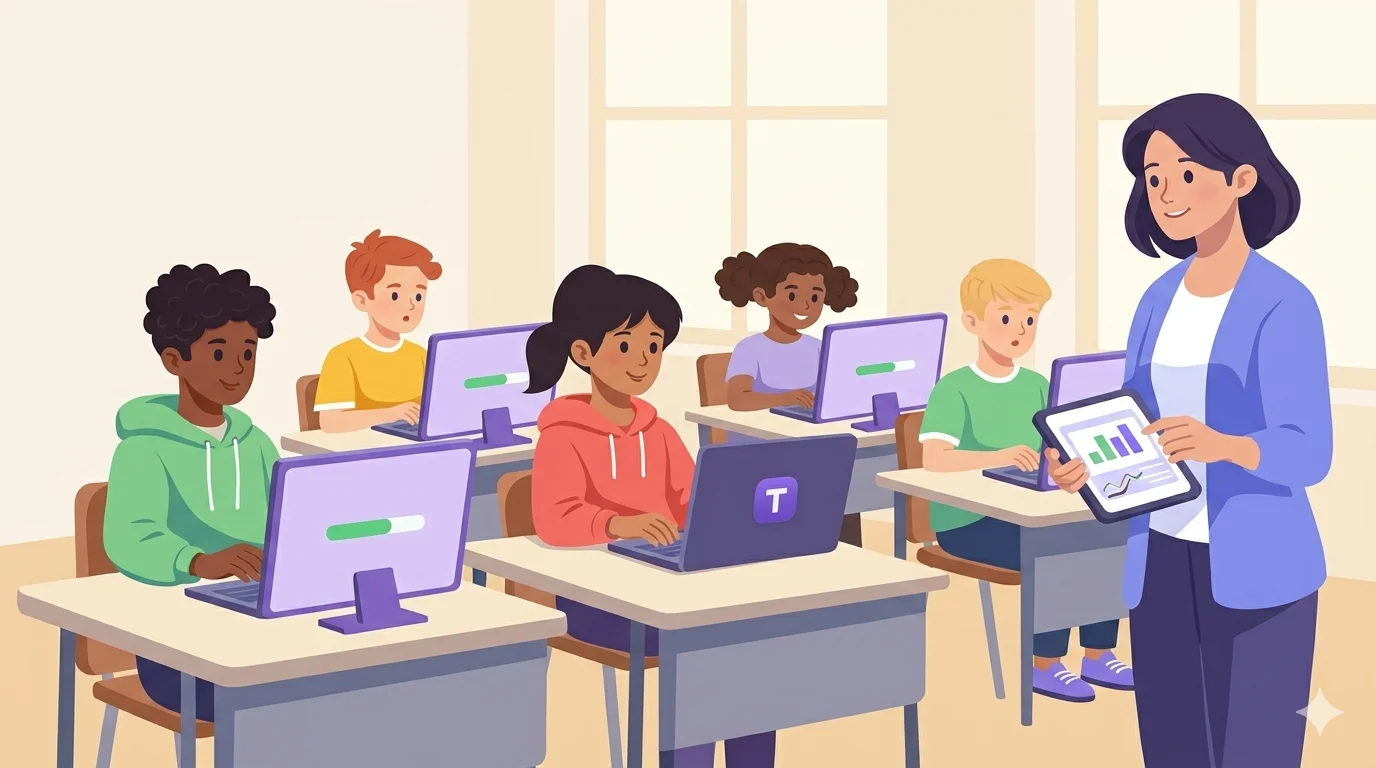
Die Klassenraum-Funktionen von Typiq sind live: ein Lehrer-Dashboard mit Klassencodes, WPM und Genauigkeit pro Schüler sowie wöchentlichem Fortschritt — eine öffentliche Demo des Dashboards lässt sich ohne Anmeldung durchklicken. Schulen können in rund zwei Minuten selbst einen kostenlosen 6-Wochen-Pilot starten — keine Warteliste, kein Verkaufsgespräch. Schüler treten mit Klassencode und Vornamen bei — ohne E-Mail, ohne Passwort, ohne Konto. Nach dem Pilot kostet Classroom 99 €/Jahr (1 Lehrkraft, 1 Klasse, bis zu 30 Schüler) und School 399 €/Jahr (unbegrenzt Lehrkräfte und Klassen, jede Klasse bis zu 30 Schüler), bezahlt per Rechnung und Banküberweisung für Schulen in ganz Europa. Das strukturierte Curriculum in 11 Sprachen ist bereits in der persönlichen App enthalten. Wenn deine Schule Schüler aus mehreren Sprachhintergründen hat, zählt Mehrsprachigkeit mehr, als die meisten Werkzeuge berücksichtigen.
Lehrkräfte, die die Methode erst selbst lernen wollen, bevor sie sie unterrichten, können dieselbe App auf dem eigenen Rechner nutzen: eine Personal-Lizenz kostet einmalig 22,99 € für ein Gerät, läuft vollständig offline, braucht kein Konto — und vorher gibt es eine kostenlose Testphase.
Häufig gestellte Fragen
Wie viele Minuten täglich sollten Schüler Tippen üben? 15 bis 20 Minuten konzentrierter Übung täglich sind der wirksame Bereich. Mehr produziert für jüngere Schüler abnehmende Renditen. Weniger als 10 Minuten baut Muskelgedächtnis nicht zuverlässig auf. Tägliche Übung schlägt wöchentliche Intensivblöcke deutlich.
Sollen Schüler zu Hause oder nur in der Schule üben? Beides, wenn möglich. Häusliche Übung beschleunigt den Fortschritt erheblich. Gib den Schülern Zugang zur Software, damit sie außerhalb der Schulzeit weitermachen können. Schon 10 Minuten vor den Hausaufgaben bauen die Gewohnheit schneller auf.
Was, wenn ein Schüler eine Behinderung hat, die Tippen beeinflusst? Konsultiere deinen Sonderpädagogik-Koordinator. Manche Schüler profitieren von alternativen Eingabemethoden. Bei Legasthenie kann die Struktur des Touch-Typings tatsächlich helfen, weil es die motorische Fähigkeit von der Rechtschreibherausforderung trennt. Bei motorischen Einschränkungen können angepasste Tastaturen und Software nötig sein.
Wie überzeuge ich die Schulleitung, dass Tippen Lehrplanzeit verdient? Als ROI formulieren. Ein Schüler, der 60 WPM statt 35 WPM erreicht, spart täglich etwa 20-25 Minuten für alle Tippaufgaben. Über ein Schuljahr sind das Wochen an zurückgewonnener Zeit, Zeit, die zurück ins Lernen geht und nicht ins Buchstabensuchen. Tippgewandtheit senkt außerdem die kognitive Last bei Prüfungen und Schreibaufgaben, was die Leistung über die reine Geschwindigkeitszahl hinaus beeinflusst.
Bei welchem WPM gilt ein Schüler als "kompetent"? Für schulpflichtige Schüler sind 40-50 WPM mit 95%+ Genauigkeit mit korrekter Zehnfinger-Technik ein solides Kompetenzziel. Das ist schnell genug, um zu tippen, ohne das eigene Denken zu bremsen, und genau das ist das eigentliche Ziel.
Fazit
Tippen ist kein Informatikfach. Es ist eine grundlegende Kompetenz des 21. Jahrhunderts, in derselben Kategorie, in der die Handschrift für das 20. Jahrhundert stand.
Schüler, die die Schule verlassen, ohne effizient tippen zu können, tragen diese Einschränkung in jeden Job, jede Universitätsaufgabe und jede berufliche Aufgabe, die eine Tastatur beinhaltet, und das sind die meisten.
Die Investition ist gering: 15 Minuten täglich, ein strukturierter Lehrplan und für Klassenräume entwickelte Software. Der Ertrag ist eine Fähigkeit, die Schüler jeden Tag für den Rest ihres Lebens nutzen.
Das ist ein guter Tausch.