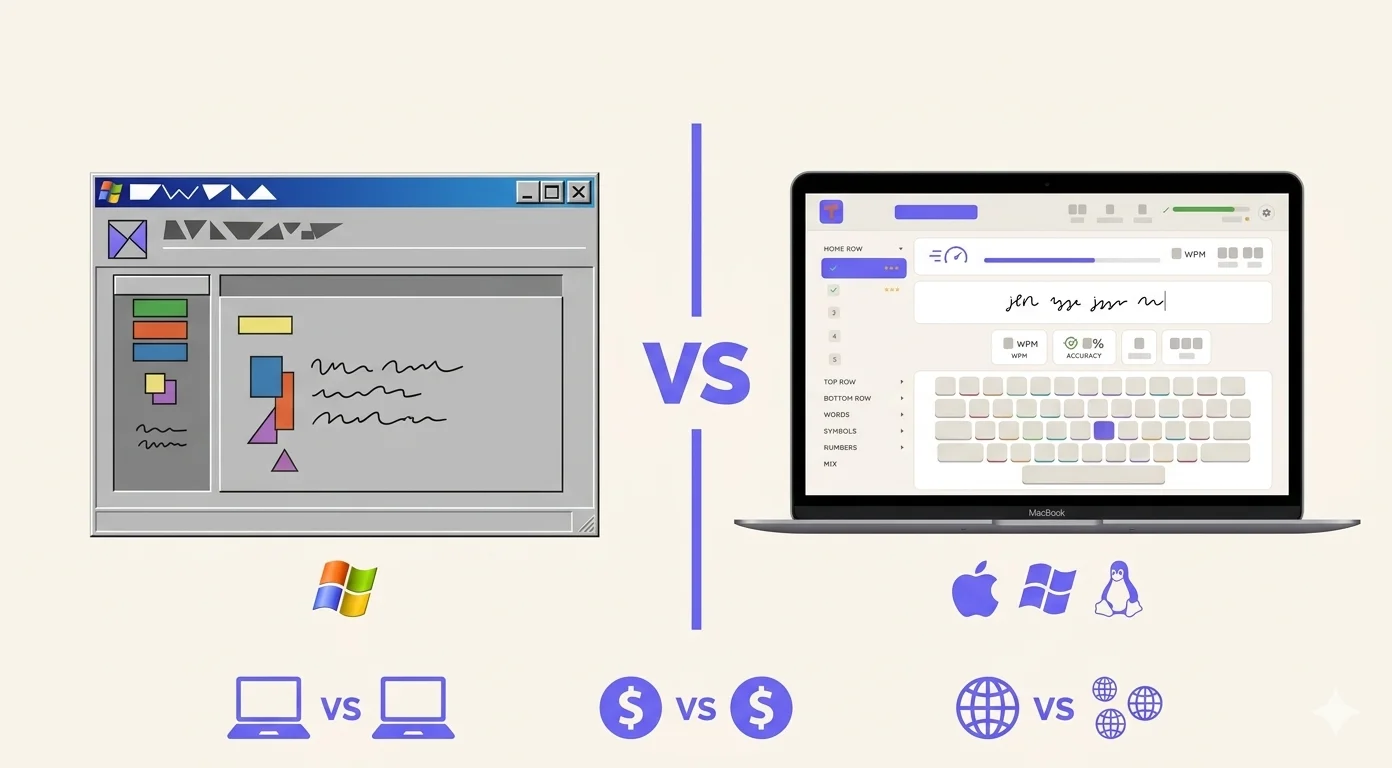
Zwei verschiedene Tools für verschiedene Menschen
TypingMaster gibt es seit 1996. Drei Jahrzehnte Nutzer, Updates und eine etablierte Reputation im Tipp-Software-Markt. Es ist einer der meistgeladenen Tipp-Tutoren der Welt und war lange Zeit eine der wenigen ernsthaften Optionen auf dem Markt.
Typiq ist neuer. Es hat nicht die Installationszahl oder die Geschichte. Was es hat, ist ein anderes Set an Prioritäten: Cross-Plattform-Support von Anfang an, ein Einmalkauf-Modell und ein Design, das sich nicht anfühlt, als wäre es 2005 gebaut worden.
Ob das für dich wichtig ist, hängt vollständig davon ab, was du brauchst. Dieser Vergleich behandelt die praktischen Unterschiede — keine Marketing-Behauptungen, sondern echte Funktions- und Preisentscheidungen, die sich auf die tägliche Nutzung jedes Produkts auswirken.
Plattformunterstützung: der wichtigste Unterschied
Hier beginnt der Vergleich und endet für viele Menschen auch.
TypingMaster läuft nur auf Windows. Version 12 unterstützt Windows 7 bis Windows 11. Es gibt keine Mac-Version, keine Linux-Version und keinen Hinweis, dass eine davon kommt. Wenn du einen Mac verwendest — ob Apple Silicon oder Intel — ist TypingMaster einfach keine Option.
Typiq läuft auf Mac, Windows und Linux. Sowohl Apple Silicon (M1/M2/M3) als auch Intel Macs werden nativ unterstützt. Wenn du zwischen Betriebssystemen wechselst, funktioniert die Software auf allen.
Das ist keine kleine Fußnote. Der Mac-Marktanteil unter Fachleuten und in Schulen — besonders in Westeuropa und Nordamerika — ist im letzten Jahrzehnt deutlich gewachsen. Ein Tipp-Tutor, der nur auf Windows läuft, löst die Hälfte des Problems.
Wenn du auf Windows bist und dort bleiben willst, ist die Plattformunterstützung kein Problem. Wenn du auf einem Mac bist oder eine gemischte Geräteumgebung in einer Schule oder einem Unternehmen verwaltest, ist Typiq die einzige Desktop-Option der beiden.
Preise: Einmalkauf vs. Abonnement
TypingMaster bietet eine kostenlose Version (limitiertes Trial, 7 Tage mit vollem Funktionsumfang) und eine bezahlte Pro-Version. Der Pro-Plan kostet $4,90/Monat oder $29/Jahr für eine Familienlizenz, die bis zu 5 Geräte abdeckt. Für Schulen und Unternehmen beginnt die Lizenzierung bei $373/Jahr für 50 Plätze — ein gerätebasiertes Jahresmodell.
Typiq setzt für Einzelnutzer auf einen Einmalkauf: €22,99 für ein Gerät. Die Schulpläne sind live: Classroom für 99 €/Jahr (1 Lehrkraft, 1 Klasse, bis zu 30 Schüler) und School für 399 €/Jahr (unbegrenzt Lehrkräfte und Klassen, jede Klasse bis zu 30 Schüler), beide zahlbar per Rechnung und Banküberweisung. Jede Lehrkraft kann per Self-Service in etwa zwei Minuten ein kostenloses 6-Wochen-Pilotprojekt starten.
Ein paar Dinge stechen heraus.
Für Einzelnutzer bedeutet Typiq's Einmalkauf, dass du einmal zahlst und die Software dir gehört. TypingMasters Jahresmodell bedeutet, dass du auf unbestimmte Zeit zahlst, solange du es nutzen willst. Über drei Jahre kostet TypingMaster Pro etwa $87 — fast fünfmal so viel wie Typiq's persönliche Lizenz.
Für den Klassenraum gehen die Kriterien bei der Wahl von Tipp-Software für Schulen über den Lektionsinhalt hinaus, und heute haben beide Produkte ein echtes Angebot. TypingMasters Schullizenzierung beginnt bei 50 Plätzen ($373/Jahr), nur Windows, mit der reiferen Schülerverwaltung für große Implementierungen. Typiq beginnt bei 99 €/Jahr für eine Klasse, läuft auf Mac, Windows und Linux und bringt das Lehrer-Dashboard mit Klassencodes und Fortschritt pro Schüler mit — inklusive eines kostenlosen 6-Wochen-Pilotprojekts, das du selbst startest, ohne Warteliste.
Sprachunterstützung
Das ist wichtiger, als die meisten Vergleichsartikel anerkennen, besonders wenn du einen Tipptrainer brauchst, der mehrere Sprachen abdeckt.
TypingMaster unterstützt Tipp-Kurse in 7 Sprachen: Englisch, Französisch, Spanisch, Deutsch, Niederländisch, Schwedisch und Finnisch.
Typiq unterstützt 11 Oberflächensprachen: Englisch, Rumänisch, Deutsch, Niederländisch, Schwedisch, Französisch, Italienisch, Spanisch, Portugiesisch, Polnisch und Griechisch. Das umfasst Sprachen, die TypingMaster nicht abdeckt — Rumänisch, Italienisch, Griechisch und Portugiesisch — während Finnisch fehlt.
Wenn du in Finnland bist, hat TypingMaster einen klaren Vorteil. Wenn du in Rumänien, Italien, Portugal oder Griechenland bist — oder Schüler aus diesen Sprachhintergründen unterrichtest — deckt Typiq Terrain ab, das TypingMaster schlichtweg nicht abdeckt.
Funktionen: Was jedes gut kann
Beide Produkte sind Desktop-Tipp-Tutoren, die um dieselbe Kernidee herum aufgebaut sind: strukturierte Lektionen, progressive Tasteneinführung und Genauigkeit-vor-Geschwindigkeit-Methodik.
TypingMasters herausragendes Feature ist das Typing Meter Widget. Es läuft im Hintergrund, während du andere Windows-Anwendungen nutzt — Word, E-Mail, Browser — und verfolgt dein reales Tippen. Es identifiziert, welche Tasten du konsequent verfehlst, und generiert gezielte Übungen basierend auf tatsächlichem Verhalten. Es ist ein wirklich cleveres Stück Software, das kein Konkurrent auf gleiche Weise repliziert hat.
Typiq's Stärke ist Einfachheit und Cross-Plattform-Konsistenz. Der Lernpfad ist klar und übersichtlich. Für Erwachsene, die Touch-Typing lernen und die Sache ohne Hintergrund-Widgets oder gamifizierte Ebenen angehen wollen, funktioniert der fokussierte Ansatz gut. Das Design ist modern, was mehr zählt als es sollte, aber die tägliche Bereitschaft beeinflusst, die App zu öffnen.
Die Trial-Erfahrung
TypingMaster bietet ein 7-tägiges kostenloses Trial mit vollem Funktionszugang. Danach musst du kaufen, um weiterzumachen. Die kostenlosen Stufen unterscheiden sich in dieser Kategorie stark, und der Vergleich kostenloser Tipp-Software zeigt, was jede davon tatsächlich hergibt.
Typiq gibt dir 30 Minuten Echtzeit-Praxis — keine zeitlich begrenzte Demo, sondern 30 Minuten echter Tipp-Lektionen, die du jederzeit nutzen kannst. Es ist ein kleineres Fenster als 7 Tage, aber fokussiert: Du bekommst genug, um zu beurteilen, ob die Struktur für dich funktioniert.
Wer sollte welches verwenden
Wähle TypingMaster wenn:
- Du Windows verwendest und dort bleiben willst
- Du das Typing Meter Widget willst, das deine echten Tippgewohnheiten überwacht
- Du Finnischsprecher bist
- Du ein bewährtes Produkt mit 30-jähriger Geschichte bevorzugst
- Du eine große Schulimplementierung verwaltest (50+ Plätze)
Wähle Typiq wenn:
- Du einen Mac verwendest oder zwischen Mac und Windows wechselst
- Du einen Einmalkauf einem Jahresabonnement vorziehst
- Du Unterstützung für Rumänisch, Italienisch, Portugiesisch oder Griechisch benötigst
- Du ein Lehrer mit einer Klasse bist, nicht einer ganzen Schule
- Du eine moderne Oberfläche ohne Hintergrundüberwachung willst
Die ehrliche Zusammenfassung
TypingMaster ist das funktionsreichere Produkt mit einer längeren Geschichte. Das Typing Meter Widget ist wirklich einzigartig und nützlich für motivierte Lernende. Auf Windows bleibt es eine der besten verfügbaren Optionen.
Seine harte Grenze ist die Plattform: Wenn du nicht auf Windows bist, existiert es nicht für dich. Und der Jahrespreis, obwohl nicht teuer, summiert sich im Laufe der Zeit für Einzelnutzer.
Typiq ist neuer und hat weniger angesammelte Geschichte. Was es bietet, ist Cross-Plattform-Support, den TypingMaster in 30 Jahren nicht geliefert hat, ein Einmalkauf-Preismodell und eine sauberere Erfahrung für Nutzer, die nicht den vollen Funktionsumfang brauchen oder wollen.
Die richtige Wahl dreht sich nicht darum, welches Produkt objektiv besser ist. Es geht darum, welches auf deiner Maschine läuft und wie du tatsächlich arbeitest.
Wenn plattformübergreifende Unterstützung und der Einmalpreis den Ausschlag für Typiq geben: Die Personal-Lizenz kostet 22,99 € für ein Gerät inklusive lebenslanger Updates, und die 30-Minuten-Testphase kostet nichts und verlangt keine Karte. Wenn du dagegen das Typing-Meter-Widget oder Kurse auf Finnisch brauchst, bleibt TypingMaster die bessere Wahl.
Häufig gestellte Fragen
Funktioniert TypingMaster auf dem Mac? Nein. TypingMaster ist nur für Windows (Windows 7 bis 11). Es gibt keine Mac- oder Linux-Version.
Ist Typiq kostenlos? Typiq beinhaltet ein 30-minütiges Trial kostenlos. Die vollständige persönliche Lizenz ist ein Einmalkauf von €22,99 für ein einzelnes Gerät. Es gibt kein fortlaufendes Abonnement für Einzelnutzer.
Welches ist besser für Schulen? TypingMaster hat das reifere Angebot für große Implementierungen (mindestens 50 Plätze, $373/Jahr, nur Windows). Die Schulpläne von Typiq sind live und plattformübergreifend: Classroom für 99 €/Jahr (1 Lehrkraft, 1 Klasse, bis zu 30 Schüler) und School für 399 €/Jahr (unbegrenzt Lehrkräfte und Klassen, jede Klasse bis zu 30 Schüler), zahlbar per Rechnung und Banküberweisung. Schüler treten mit Klassencode und Vornamen bei — ohne E-Mail, ohne Passwort — und jede Lehrkraft kann in etwa zwei Minuten ein kostenloses 6-Wochen-Pilotprojekt starten. Eine öffentliche Demo des Dashboards ist verfügbar.
Unterstützt TypingMaster Rumänisch oder Griechisch? Nein. TypingMaster unterstützt Englisch, Französisch, Spanisch, Deutsch, Niederländisch, Schwedisch und Finnisch. Rumänisch, Griechisch, Italienisch und Portugiesisch sind nicht in seinem Kurskatalog. Typiq unterstützt alle vier dieser Sprachen.
Welches ist besser für Erwachsene, die von Grund auf tippen lernen? Beide funktionieren für erwachsene Lernende. TypingMasters adaptive Schwierigkeit und Hintergrund-Widget machen es besonders stark für selbstmotivierte Erwachsene auf Windows, die während der täglichen Arbeit weiter verbessern wollen. Typiq's fokussierter, ablenkungsfreier Ansatz eignet sich für Erwachsene, die ein klares Curriculum wollen und keine Gamifizierung oder Hintergrundüberwachung benötigen.